
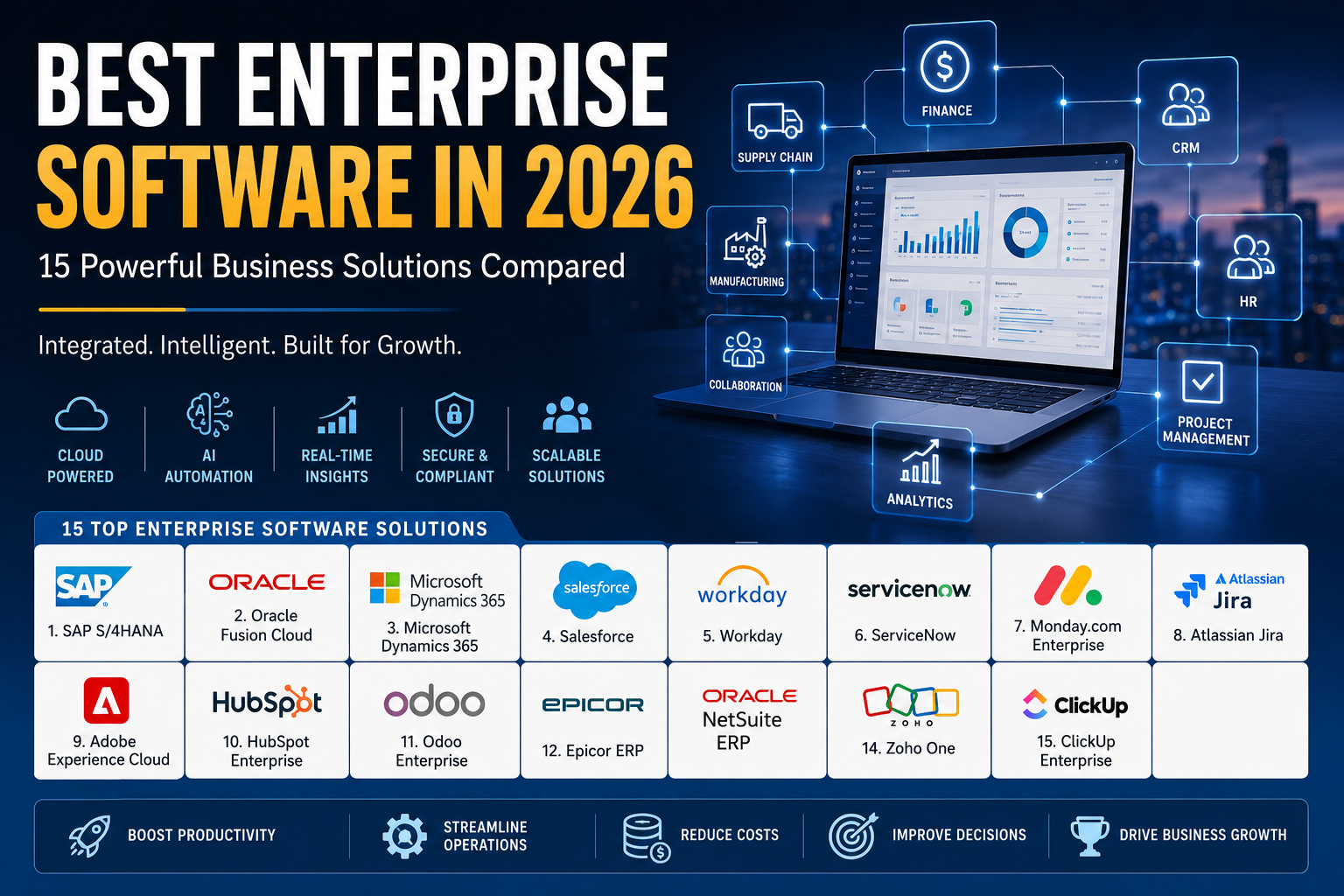
Best Enterprise Software (2026): Top Business Solutions for Growing Companies
Discover the best enterprise software in 2026. Compare ERP, CRM, HR, project management, and business management platforms to find the right solution for your organization.
Best Enterprise Software in 2026: 15 Powerful Business Solutions Compared
Digital transformation is no longer just a competitive advantage—it’s a business necessity. Organizations today operate across multiple departments, locations, and markets, making it increasingly difficult to manage operations using disconnected applications and manual processes. As businesses continue to scale, the need for integrated enterprise software has become more important than ever.
Enterprise software helps organizations centralize critical business functions such as finance, human resources, customer relationship management (CRM), supply chain operations, project management, manufacturing, and analytics into unified platforms. Instead of switching between multiple tools, businesses can access real-time data, automate repetitive workflows, and make faster, more informed decisions.
The rapid growth of cloud computing, artificial intelligence (AI), automation, and advanced analytics has significantly improved enterprise software capabilities. Modern platforms are more flexible, easier to deploy, and better equipped to support hybrid workforces than traditional on-premise systems. Businesses of all sizes—from growing startups to multinational corporations—are investing in enterprise software to improve productivity, reduce operational costs, and enhance customer experiences.
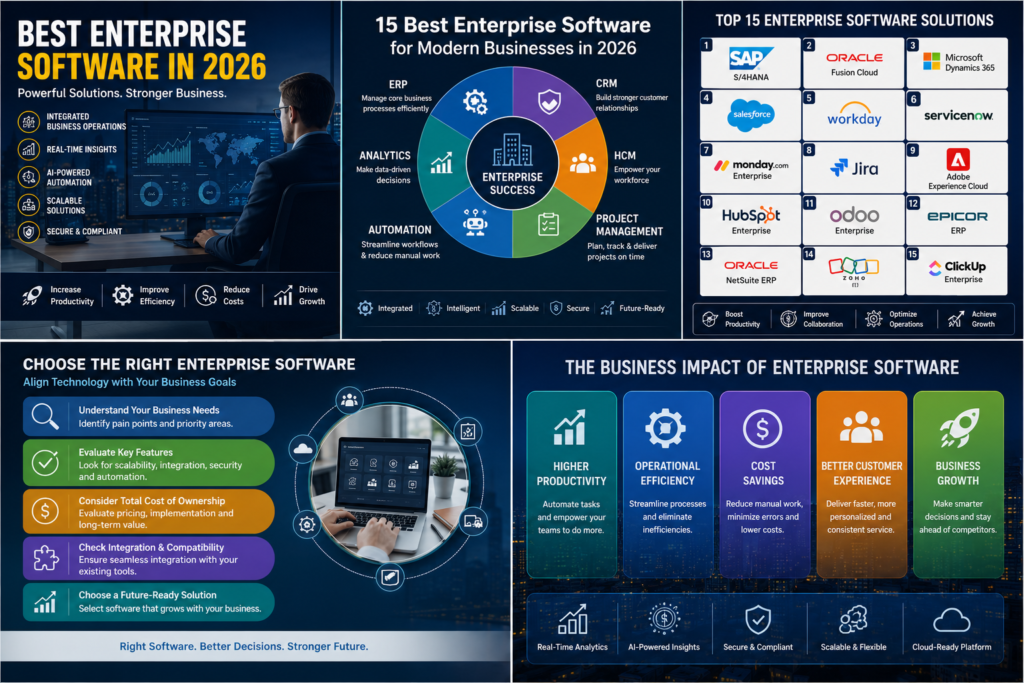
In this guide, we’ve compared the 15 best enterprise software solutions in 2026 based on functionality, scalability, security, ease of use, integration capabilities, pricing, and overall business value. Whether you’re looking for a comprehensive ERP system or specialized enterprise applications, this comparison will help you identify the right solution for your organization.
What Is Enterprise Software?
Enterprise software refers to applications designed to support large-scale business operations across multiple departments. Unlike consumer software, which focuses on individual productivity, enterprise software manages complex organizational processes involving thousands of employees, customers, suppliers, and business transactions.
These platforms integrate essential business functions into centralized systems, allowing departments to collaborate using shared information rather than isolated databases. Finance teams, sales representatives, HR managers, supply chain professionals, and executives can all access real-time business data from a single source of truth.
Today’s enterprise software increasingly incorporates artificial intelligence, predictive analytics, workflow automation, cloud infrastructure, and advanced security features to help businesses operate more efficiently while adapting quickly to changing market conditions.
Why Enterprise Software Matters in 2026
Business environments have become more dynamic and data-driven than ever before. Organizations must respond quickly to changing customer expectations, evolving regulations, supply chain disruptions, cybersecurity risks, and increasing global competition. Traditional manual processes are no longer capable of supporting this level of operational complexity.
Enterprise software enables organizations to automate repetitive tasks, improve collaboration across departments, reduce human error, and provide leadership teams with accurate, real-time insights. Instead of relying on outdated reports, decision-makers can monitor key performance indicators (KPIs), financial performance, inventory levels, customer interactions, and operational metrics through centralized dashboards.
The integration of artificial intelligence further strengthens enterprise software by enabling predictive forecasting, intelligent automation, and data-driven recommendations. These capabilities allow businesses to improve efficiency while preparing for future growth.

Types of Enterprise Software
Enterprise software covers a broad range of business functions. While many organizations invest in comprehensive ERP systems, others combine specialized applications to meet specific operational requirements.
The most common categories include:
- Enterprise Resource Planning (ERP)
- Customer Relationship Management (CRM)
- Human Capital Management (HCM)
- Project Management Software
- Supply Chain Management (SCM)
- Business Intelligence (BI)
- Customer Service Platforms
- Marketing Automation
- Accounting & Finance Software
- Collaboration & Productivity Tools
Selecting the right combination depends on business size, industry requirements, operational complexity, and long-term growth objectives.
How We Evaluated the Best Enterprise Software
To ensure this comparison provides meaningful recommendations, we evaluated each platform using several key criteria that influence long-term business success.
Functionality
We assessed the breadth and depth of each platform’s features, including automation, reporting, workflow management, analytics, collaboration, and industry-specific capabilities.
Scalability
Enterprise software should support business growth without requiring organizations to replace their systems as operations expand. We prioritized platforms capable of handling increasing users, departments, and transaction volumes.
Integration
Modern businesses rely on multiple applications. We evaluated how well each solution integrates with accounting software, CRM systems, productivity tools, cloud platforms, APIs, and third-party services.
Ease of Use
Powerful software should also be accessible. Platforms offering intuitive interfaces, streamlined workflows, and comprehensive documentation received higher consideration.
Security & Compliance
Enterprise software manages sensitive business information. We considered security certifications, access controls, compliance support, encryption, and identity management capabilities.
1. SAP S/4HANA
SAP S/4HANA is one of the world’s most comprehensive enterprise resource planning (ERP) platforms. Built on SAP’s high-performance in-memory database, it enables organizations to process large volumes of business data in real time while integrating finance, procurement, manufacturing, supply chain, sales, and analytics into a single platform.
Large enterprises across manufacturing, retail, healthcare, energy, and logistics rely on SAP S/4HANA to improve operational visibility and automate mission-critical business processes. The platform also incorporates artificial intelligence, machine learning, robotic process automation (RPA), and predictive analytics to help organizations optimize decision-making and reduce operational complexity.
Although implementation often requires significant planning and investment, SAP S/4HANA provides exceptional scalability for businesses managing complex global operations.
Key Features
- Enterprise Resource Planning (ERP)
- Financial Management
- Supply Chain Management
- Manufacturing Management
- Procurement Automation
- AI & Predictive Analytics
- Real-Time Reporting
- Cloud & On-Premise Deployment
Pros
SAP S/4HANA delivers exceptional scalability and enterprise-grade performance, making it ideal for large organizations with complex operational requirements. Its real-time analytics, advanced automation, and extensive integration capabilities allow businesses to streamline operations while improving decision-making across multiple departments. The platform also supports international compliance standards, making it suitable for multinational enterprises.
Cons
The platform’s advanced capabilities come with higher implementation costs and longer deployment timelines. Organizations often require experienced consultants, dedicated IT resources, and comprehensive employee training to maximize the system’s potential, making it less suitable for smaller businesses with limited budgets.
Best For
Large enterprises, multinational corporations, manufacturers, and organizations with complex business operations.
2. Oracle Fusion Cloud ERP
Oracle Fusion Cloud ERP is a modern cloud-based enterprise platform that combines finance, procurement, project management, risk management, and performance reporting into a unified system. Designed for organizations seeking agility and scalability, Oracle’s cloud-native architecture allows businesses to access enterprise capabilities without maintaining extensive on-premise infrastructure.
Artificial intelligence plays a central role within Oracle Fusion Cloud. The platform automates financial reconciliation, identifies spending anomalies, predicts cash flow trends, and provides intelligent recommendations that improve operational efficiency. Built-in analytics further help executives monitor business performance using real-time dashboards.
Its regular cloud updates ensure organizations continuously benefit from new features, security enhancements, and compliance improvements without managing complex software upgrades.
Key Features
- Cloud ERP
- Financial Management
- Procurement
- Project Management
- Risk Management
- AI Automation
- Business Intelligence
- Global Compliance
Pros
Oracle Fusion Cloud ERP provides strong automation capabilities, excellent financial management tools, and continuous innovation through cloud-based updates. Businesses benefit from high availability, robust security, and advanced analytics without the maintenance burden associated with traditional on-premise systems.
Cons
Customization and implementation can become complex for highly specialized organizations. Licensing costs may also increase as additional modules and users are added, making careful planning essential during deployment.
Best For
Medium-to-large enterprises seeking a cloud-first ERP solution with strong financial management and automation capabilities.
3. Microsoft Dynamics 365
Microsoft Dynamics 365 combines ERP and CRM functionality into a flexible suite of business applications. Organizations can deploy modules for finance, sales, customer service, supply chain management, commerce, marketing, and human resources based on their specific operational needs.
One of the platform’s greatest strengths is its seamless integration with Microsoft’s broader ecosystem, including Microsoft 365, Teams, Azure, and Power BI. Employees can collaborate more efficiently while accessing business insights directly within familiar productivity applications.
AI-powered Copilot features further enhance productivity by automating repetitive tasks, generating reports, summarizing customer interactions, and supporting data-driven decision-making across departments.
Key Features
- ERP & CRM
- AI Copilot
- Financial Management
- Sales Automation
- Customer Service
- Supply Chain Management
- Business Intelligence
- Microsoft Integration
Pros
Microsoft Dynamics 365 offers outstanding flexibility through its modular architecture, allowing businesses to implement only the applications they require. Integration with Microsoft’s productivity ecosystem significantly improves collaboration, while AI-powered Copilot features help automate administrative work and enhance employee productivity.
Cons
Organizations using non-Microsoft technologies may require additional integration work. As more modules are added, licensing expenses can also increase, requiring careful cost management during expansion.
Best For
Businesses already using Microsoft products and organizations seeking an integrated ERP and CRM platform.
4. Salesforce
Salesforce remains the global leader in customer relationship management (CRM) software, helping organizations manage sales, customer service, marketing, and commerce through a unified cloud platform. Its extensive ecosystem enables businesses to customize workflows, automate customer engagement, and gain deeper visibility into customer relationships.
The platform’s AI capabilities, powered by Salesforce Einstein, provide intelligent lead scoring, sales forecasting, personalized recommendations, and automated customer support. These tools help organizations improve sales performance while delivering more personalized customer experiences.
Beyond CRM, Salesforce integrates with thousands of third-party applications, making it one of the most flexible enterprise platforms available.
Key Features
- CRM
- Sales Automation
- Marketing Cloud
- Customer Service
- AI-Powered Einstein
- Workflow Automation
- Analytics
- AppExchange Marketplace
Pros
Salesforce offers exceptional customization, scalability, and ecosystem support. Its AI-powered insights enable sales teams to prioritize opportunities more effectively, while extensive integration capabilities allow businesses to connect virtually every aspect of their customer operations within a single platform.
Cons
The platform’s extensive functionality can require significant configuration and ongoing administration. Subscription costs may also increase considerably as businesses adopt additional Salesforce products and enterprise-level features.
Best For
Sales-driven organizations, enterprise customer service teams, growing businesses, and companies prioritizing customer relationship management.
5. Workday
Workday has established itself as one of the leading enterprise platforms for Human Capital Management (HCM) and financial management. Designed primarily for medium-sized and large organizations, it helps businesses manage their workforce, payroll, recruiting, employee performance, learning, and financial operations through a unified cloud platform.
One of Workday’s biggest strengths is its AI-powered workforce intelligence. The platform analyzes employee data to help organizations forecast hiring needs, identify skill gaps, improve workforce planning, and enhance employee engagement. HR teams can also automate repetitive administrative tasks, allowing them to focus on talent development and strategic initiatives.
Because Workday operates entirely in the cloud, organizations receive continuous feature updates, security improvements, and compliance enhancements without the complexity of traditional software upgrades.
Key Features
- Human Capital Management (HCM)
- Payroll Management
- Workforce Planning
- Financial Management
- Talent Acquisition
- Employee Learning
- AI Workforce Analytics
- Cloud Deployment
Pros
Workday provides an exceptional user experience while offering advanced HR and financial capabilities within a single platform. Its AI-powered analytics enable organizations to make better hiring decisions, improve workforce planning, and gain deeper insights into employee performance. The cloud-native architecture also ensures scalability and continuous innovation, making it an excellent long-term investment for growing enterprises.
Cons
Workday focuses primarily on HR and finance rather than offering a complete ERP solution. Businesses requiring manufacturing, inventory management, or supply chain functionality may need additional software. Its premium pricing can also be a challenge for smaller organizations with limited budgets.
Best For
Large enterprises, multinational companies, and organizations prioritizing human resources and workforce management.
6. ServiceNow
ServiceNow is widely recognized as one of the world’s leading enterprise workflow automation platforms. Originally developed for IT service management (ITSM), it has evolved into a comprehensive business operations platform supporting customer service, HR, security operations, governance, risk management, and digital workflows.
The platform enables organizations to automate complex business processes that traditionally required manual coordination across multiple departments. Through AI-powered workflows, intelligent ticket routing, predictive analytics, and virtual agents, ServiceNow improves operational efficiency while reducing response times.
Its extensive integration ecosystem also allows businesses to connect ServiceNow with ERP systems, cloud platforms, productivity tools, and third-party applications, creating a unified operational environment.
Key Features
- IT Service Management
- Workflow Automation
- AI Virtual Agents
- HR Service Delivery
- Customer Service Management
- Security Operations
- Asset Management
- Performance Analytics
Pros
ServiceNow excels at automating repetitive workflows that span multiple business departments. Its AI capabilities reduce manual workloads, improve service delivery, and help organizations resolve issues more efficiently. Businesses also benefit from excellent scalability, strong security, and extensive customization options that adapt to evolving operational requirements.
Cons
Although highly powerful, ServiceNow often requires experienced administrators and implementation specialists to configure advanced workflows. Licensing and implementation costs may also increase significantly for organizations deploying multiple enterprise modules.
Best For
Large enterprises, IT departments, financial institutions, healthcare organizations, and businesses focused on workflow automation.
7. Monday.com Enterprise
Monday.com Enterprise transforms project management into a centralized work operating system where teams can manage projects, workflows, collaboration, and reporting from one intuitive platform. Unlike traditional project management software, Monday.com offers extensive customization that allows businesses to create workflows tailored to virtually any department.
Marketing teams, software developers, HR professionals, finance departments, and operations managers can all build customized dashboards that improve visibility and collaboration across the organization. AI-powered automation further streamlines repetitive administrative tasks such as status updates, notifications, task assignments, and workflow approvals.
Its modern interface makes adoption relatively easy compared to many traditional enterprise platforms, reducing training requirements while increasing employee productivity.
Key Features
- Enterprise Project Management
- Workflow Automation
- AI Task Suggestions
- Collaboration Tools
- Dashboard Reporting
- Resource Management
- Team Communication
- Third-Party Integrations
Pros
Monday.com combines flexibility with ease of use, making it accessible for both technical and non-technical users. Organizations can customize workflows without extensive coding while benefiting from automation that reduces repetitive work. Its visual dashboards also provide leadership teams with real-time project visibility across multiple departments.
Cons
While excellent for workflow management, Monday.com is not intended to replace comprehensive ERP or CRM systems. Organizations with highly specialized enterprise requirements may still require additional software for finance, manufacturing, or supply chain management.
Best For
Growing businesses, marketing teams, project-driven organizations, and enterprises seeking flexible workflow management.
8. Atlassian Jira
Jira has become the industry standard for software development teams practicing Agile and DevOps methodologies. Although originally designed for issue tracking, it has evolved into a comprehensive project management solution supporting software development, product management, IT operations, and enterprise collaboration.
The platform enables teams to plan projects, manage backlogs, track bugs, monitor sprint progress, and automate development workflows. AI-powered features assist with task prioritization, project summaries, and workflow recommendations, allowing teams to deliver software more efficiently.
Jira integrates seamlessly with other Atlassian products such as Confluence, Bitbucket, and Trello, creating a complete ecosystem for enterprise software development.
Key Features
- Agile Project Management
- Scrum & Kanban Boards
- Issue Tracking
- DevOps Integration
- Workflow Automation
- AI Productivity Features
- Reporting Dashboards
- API Integrations
Pros
Jira offers unmatched flexibility for software development teams. Its Agile tools support organizations of all sizes while advanced reporting helps managers monitor project progress and team productivity. Extensive integrations with development platforms further streamline collaboration throughout the software development lifecycle.
Cons
Organizations outside software development may find Jira more complex than necessary. Customizing advanced workflows can also require administrative expertise, particularly within large enterprise deployments.
Best For
Software companies, development teams, technology startups, and enterprise IT organizations.
9. Adobe Experience Cloud
Adobe Experience Cloud is a comprehensive digital marketing and customer experience platform that enables organizations to deliver personalized experiences across websites, mobile applications, email campaigns, social media, and digital advertising.
Powered by artificial intelligence through Adobe Sensei, the platform analyzes customer behavior, predicts engagement patterns, and automates content personalization across multiple digital channels. Businesses gain valuable insights into customer journeys while optimizing marketing campaigns in real time.
Large enterprises frequently use Adobe Experience Cloud to unify marketing, analytics, content management, and commerce into a single digital experience platform.
Key Features
- Digital Experience Management
- Marketing Automation
- AI Personalization
- Customer Analytics
- Content Management
- Campaign Optimization
- Adobe Sensei AI
- Multi-Channel Marketing
Pros
Adobe Experience Cloud provides exceptional personalization capabilities supported by powerful AI analytics. Marketing teams can create highly targeted customer experiences while measuring campaign performance across multiple channels. The platform also integrates effectively with Adobe Creative Cloud, streamlining content production and digital marketing workflows.
Cons
Its enterprise-focused capabilities come with higher subscription costs and implementation complexity. Smaller businesses may find many advanced features unnecessary for their marketing needs.
Best For
Large enterprises, digital marketing teams, media organizations, retailers, and global brands.
10. HubSpot Enterprise
HubSpot Enterprise extends the company’s popular CRM platform into a comprehensive business growth solution. It combines marketing automation, sales management, customer service, content management, operations, and AI-powered productivity tools within a single cloud platform.
The platform enables organizations to automate lead generation, nurture customer relationships, manage sales pipelines, and improve customer support while maintaining a centralized database of customer interactions. AI assistants further help users generate content, summarize conversations, analyze sales activities, and automate repetitive tasks.
HubSpot’s intuitive interface makes enterprise software accessible without sacrificing advanced functionality, contributing to its growing popularity among mid-sized organizations.
Key Features
- CRM
- Marketing Automation
- Sales Hub
- Customer Service Hub
- Content Management
- AI Content Assistant
- Workflow Automation
- Reporting & Analytics
Pros
HubSpot Enterprise offers an excellent balance between usability and functionality. Businesses can unify marketing, sales, and customer support within one platform while leveraging AI to automate communication and improve productivity. Its extensive educational resources and strong customer support also simplify implementation and ongoing adoption.
Cons
As businesses expand and adopt additional hubs, subscription costs can increase considerably. Organizations requiring deep ERP, manufacturing, or supply chain functionality will likely need complementary enterprise software.
Best For
Growing businesses, B2B organizations, SaaS companies, and marketing-driven enterprises.
11. Odoo Enterprise
Odoo Enterprise has become one of the fastest-growing business management platforms because of its flexibility, affordability, and modular architecture. Unlike many traditional enterprise solutions that require businesses to purchase a complete software suite, Odoo allows organizations to implement only the applications they need. Companies can start with accounting or CRM and gradually expand into inventory management, manufacturing, HR, project management, eCommerce, and marketing as their business grows.
One of Odoo’s greatest strengths is its extensive ecosystem of integrated applications. Since every module shares the same database, information flows seamlessly between departments without requiring complex third-party integrations. This helps organizations improve collaboration, automate workflows, and gain real-time visibility into business operations.
Odoo also supports cloud and on-premise deployments, making it suitable for organizations with different infrastructure requirements. Its open-source foundation further allows businesses to customize workflows according to their operational needs.
Key Features
- Enterprise Resource Planning (ERP)
- CRM
- Accounting
- Inventory Management
- Manufacturing
- HR Management
- eCommerce
- Project Management
Pros
Odoo Enterprise offers exceptional flexibility and excellent value for money. Businesses can implement only the modules they require, reducing initial investment while maintaining the ability to scale over time. The user-friendly interface, active developer community, and extensive customization options make it a strong choice for organizations seeking a modern business management platform without enterprise-level costs.
Cons
Although highly customizable, advanced implementations often require technical expertise or experienced implementation partners. Organizations with highly complex global operations may also require additional customization compared to larger enterprise platforms such as SAP or Oracle.
Best For
Small to medium-sized businesses, manufacturers, distributors, retailers, and growing enterprises seeking an affordable ERP solution.
12. Epicor ERP
Epicor ERP is designed specifically for manufacturing, distribution, automotive, aerospace, and industrial businesses. It helps organizations manage production planning, inventory, supply chain operations, financial management, warehouse activities, and customer relationships from a centralized platform.
A key advantage of Epicor is its industry-specific functionality. Rather than providing generic business management features, it includes tools tailored to manufacturers such as production scheduling, material requirements planning (MRP), shop floor management, quality control, and supply chain optimization.
Artificial intelligence and predictive analytics further improve operational efficiency by helping organizations forecast demand, identify production bottlenecks, and optimize inventory levels.
Key Features
- Manufacturing ERP
- Supply Chain Management
- Production Planning
- Inventory Management
- Financial Management
- Warehouse Management
- Business Intelligence
- Predictive Analytics
Pros
Epicor ERP delivers powerful functionality for manufacturing businesses that require detailed production management and operational visibility. Its industry-focused features reduce the need for expensive custom development while improving production efficiency, inventory control, and financial reporting. Businesses also benefit from strong scalability as operational complexity increases.
Cons
Implementation can require considerable planning due to the platform’s extensive functionality. Smaller service-based businesses that do not require manufacturing capabilities may find Epicor more comprehensive than necessary.
Best For
Manufacturers, distributors, industrial companies, automotive suppliers, and production-focused organizations.
13. Oracle NetSuite ERP
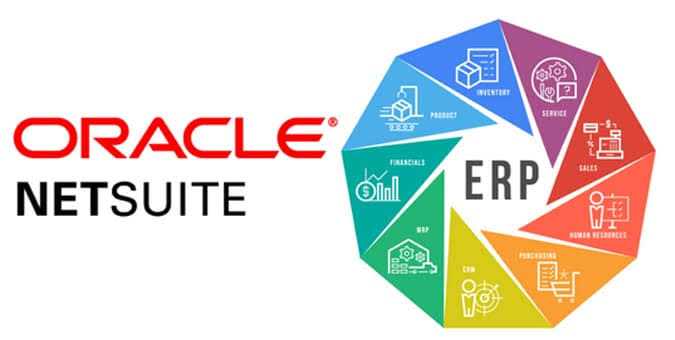
Oracle NetSuite is one of the world’s leading cloud ERP platforms, offering integrated solutions for finance, CRM, inventory, procurement, project management, eCommerce, and business analytics. Because it operates entirely in the cloud, businesses can access real-time operational data from anywhere without maintaining on-premise infrastructure.
NetSuite is particularly popular among rapidly growing businesses because of its scalability. Organizations can expand into new markets, add subsidiaries, and increase transaction volumes without replacing their ERP system. AI-powered reporting and business intelligence tools also help executives monitor financial performance and operational efficiency through interactive dashboards.
Its broad ecosystem of integrations allows businesses to connect NetSuite with hundreds of third-party applications, creating a highly flexible enterprise environment.
Key Features
- Cloud ERP
- Financial Management
- Inventory Control
- CRM
- Procurement
- Project Management
- Business Intelligence
- Global Business Management
Pros
NetSuite combines powerful ERP functionality with the flexibility of cloud computing. Businesses benefit from automatic updates, excellent scalability, strong financial management, and comprehensive reporting capabilities. The platform is particularly effective for organizations planning long-term growth and international expansion.
Cons
Subscription costs may increase as businesses add users and advanced modules. Initial implementation also requires careful planning to ensure workflows align with organizational requirements.
Best For
Growing businesses, multinational companies, wholesalers, retailers, and organizations expanding internationally.
14. Zoho One
Zoho One offers one of the most comprehensive collections of integrated business applications available today. Rather than focusing solely on ERP or CRM, it provides more than 45 interconnected applications covering sales, marketing, finance, HR, collaboration, customer support, project management, analytics, and productivity.
The platform is especially attractive for small and medium-sized businesses because it provides enterprise-level functionality at a highly competitive price. Organizations benefit from centralized user management, consistent interfaces across applications, and seamless information sharing between departments.
Artificial intelligence, powered by Zia, assists with sales forecasting, workflow automation, customer insights, and business analytics while helping employees complete tasks more efficiently.
Key Features
- CRM
- Accounting
- HR Management
- Project Management
- Marketing Automation
- Help Desk
- Collaboration Tools
- AI Assistant (Zia)
Pros
Zoho One provides exceptional value by combining dozens of enterprise applications under a single subscription. Businesses can replace multiple disconnected software products while improving collaboration and reducing software costs. The platform is also easy to deploy and offers an intuitive user experience suitable for organizations with limited IT resources.
Cons
Although feature-rich, some applications may not offer the same depth as specialized enterprise platforms. Larger multinational organizations with highly complex operational requirements may eventually require more advanced ERP solutions.
Best For
Small businesses, growing companies, startups, professional services firms, and organizations seeking an affordable all-in-one business platform.
15. ClickUp Enterprise
ClickUp Enterprise extends traditional project management into a complete work management platform that supports operations, marketing, HR, software development, finance, and executive collaboration. It enables organizations to centralize tasks, documents, goals, dashboards, workflows, and communication within a single digital workspace.
AI-powered ClickUp Brain enhances productivity by generating project summaries, drafting documentation, answering questions, and automating repetitive administrative work. Combined with customizable dashboards and workflow automation, the platform helps teams manage increasingly complex projects while maintaining visibility across departments.
ClickUp also integrates with hundreds of third-party business applications, making it a valuable addition to broader enterprise technology ecosystems.
Key Features
- Enterprise Project Management
- AI Productivity Assistant
- Workflow Automation
- Document Management
- Goal Tracking
- Team Collaboration
- Dashboard Reporting
- Third-Party Integrations
Pros
ClickUp Enterprise offers remarkable flexibility and customization while maintaining an intuitive user interface. Teams across multiple departments can adapt workflows to their specific needs without requiring extensive technical expertise. AI-powered productivity tools further reduce manual work and improve collaboration across large organizations.
Cons
ClickUp is primarily a work management platform rather than a comprehensive ERP or CRM solution. Businesses requiring advanced finance, manufacturing, or supply chain functionality should integrate it with specialized enterprise software.
Best For
Large teams, marketing agencies, software companies, consulting firms, and organizations managing complex projects.
Enterprise Software Comparison Table
| Software | Category | Best For | Deployment | AI Features |
|---|---|---|---|---|
| SAP S/4HANA | ERP | Large Enterprises | Cloud & On-Premise | ⭐⭐⭐⭐⭐ |
| Oracle Fusion Cloud | ERP | Enterprise Finance | Cloud | ⭐⭐⭐⭐⭐ |
| Microsoft Dynamics 365 | ERP & CRM | Mid-to-Large Businesses | Cloud | ⭐⭐⭐⭐⭐ |
| Salesforce | CRM | Sales Organizations | Cloud | ⭐⭐⭐⭐⭐ |
| Workday | HCM | HR & Finance | Cloud | ⭐⭐⭐⭐☆ |
| ServiceNow | Workflow Automation | IT & Operations | Cloud | ⭐⭐⭐⭐⭐ |
| Monday.com Enterprise | Project Management | Growing Teams | Cloud | ⭐⭐⭐⭐☆ |
| Jira | Development | Software Companies | Cloud | ⭐⭐⭐⭐☆ |
| Adobe Experience Cloud | Marketing | Digital Enterprises | Cloud | ⭐⭐⭐⭐⭐ |
| HubSpot Enterprise | CRM | Marketing & Sales | Cloud | ⭐⭐⭐⭐☆ |
| Odoo Enterprise | ERP | SMBs | Cloud & On-Premise | ⭐⭐⭐⭐☆ |
| Epicor ERP | Manufacturing ERP | Industrial Businesses | Cloud & On-Premise | ⭐⭐⭐⭐☆ |
| Oracle NetSuite | Cloud ERP | Growing Enterprises | Cloud | ⭐⭐⭐⭐⭐ |
| Zoho One | Business Suite | SMBs | Cloud | ⭐⭐⭐⭐☆ |
| ClickUp Enterprise | Work Management | Enterprise Teams | Cloud | ⭐⭐⭐⭐☆ |
How to Choose the Right Enterprise Software
Choosing enterprise software requires more than comparing features. Organizations should begin by identifying their operational challenges, business goals, and long-term growth plans. A company struggling with disconnected financial systems may need a comprehensive ERP platform, while another focused on customer acquisition could benefit more from an advanced CRM solution.
Scalability is another critical factor. The software should support increasing numbers of users, higher transaction volumes, additional business locations, and evolving operational requirements without requiring a complete replacement. Integration capabilities are equally important, as modern businesses depend on multiple applications working together seamlessly.
Finally, evaluate implementation support, training resources, security, compliance, and total cost of ownership rather than focusing solely on initial licensing costs. A well-planned implementation often delivers greater long-term value than selecting the least expensive solution.
Essential Features to Look For
When evaluating enterprise software, prioritize platforms that offer:
- AI-powered automation
- Cloud deployment options
- Real-time reporting and analytics
- Workflow automation
- Strong security and compliance
- Mobile accessibility
- Third-party integrations
- Scalable architecture
- User-friendly interface
- Reliable customer support
These capabilities help ensure the software remains valuable as your business grows and technology continues to evolve.
Future Trends in Enterprise Software
Enterprise software is entering a new era driven by artificial intelligence, automation, and cloud innovation. AI assistants are becoming standard across business platforms, enabling employees to generate reports, automate workflows, summarize meetings, and analyze operational data using natural language.
Low-code and no-code development platforms are also empowering business users to build workflows and applications without extensive programming knowledge. This accelerates digital transformation while reducing dependence on specialized IT resources.
Other emerging trends include predictive analytics, hyperautomation, industry-specific cloud solutions, stronger cybersecurity frameworks, integrated sustainability reporting, and the growing use of generative AI for decision support. Organizations that embrace these innovations will be better positioned to adapt to changing market conditions and maintain a competitive advantage.
Frequently Asked Questions
What is enterprise software?
Enterprise software is a category of business applications designed to manage organizational processes such as finance, HR, customer relationships, supply chain operations, manufacturing, marketing, and project management across multiple departments.
What is the difference between ERP and enterprise software?
ERP is a type of enterprise software focused on integrating core business functions like finance, inventory, procurement, and operations. Enterprise software is a broader term that also includes CRM, HR, collaboration, cybersecurity, and productivity platforms.
Which enterprise software is best for small businesses?
Solutions such as Odoo Enterprise, Zoho One, Microsoft Dynamics 365 Business Central, and Oracle NetSuite are excellent choices for growing small and medium-sized businesses because they combine scalability with manageable implementation costs.
Is cloud enterprise software better than on-premise software?
Cloud software offers easier deployment, automatic updates, remote accessibility, and lower infrastructure costs. On-premise deployments provide greater control over hardware and data but typically require higher maintenance and IT resources.
How does AI improve enterprise software?
AI automates repetitive tasks, improves forecasting, enhances reporting, provides predictive analytics, generates business insights, supports customer service, and helps organizations make faster, data-driven decisions.
Final Verdict
Enterprise software has evolved from a back-office management tool into the foundation of modern digital business. Whether organizations need ERP, CRM, HR management, workflow automation, project management, or marketing platforms, today’s enterprise solutions combine artificial intelligence, cloud computing, and automation to improve efficiency and support long-term growth.
For large global enterprises, SAP S/4HANA, Oracle Fusion Cloud, and Microsoft Dynamics 365 remain among the strongest choices for comprehensive business management. Organizations focused on customer engagement will benefit from Salesforce and HubSpot Enterprise, while manufacturers should consider Epicor ERP. Businesses seeking affordable, flexible platforms may find Odoo Enterprise, Zoho One, or ClickUp Enterprise particularly attractive.
The best enterprise software is the one that aligns with your business objectives, integrates with your existing technology stack, and provides the scalability needed for future growth. By carefully evaluating your operational requirements and investing in the right platform, your organization can improve productivity, strengthen collaboration, and remain competitive in an increasingly digital economy.
Also Read: What Is Enterprise Software (ES)?